Key Takeaways
- AI literacy involves using AI with an understanding of how it works and the judgment to know when you can trust its outputs.
- AI tools are trained on an enormous volume of text, which can contain inaccuracies and biases, and they work by drawing from established patterns to generate responses one piece at a time.
- AI literacy skills include the ability to operate AI tools, critically evaluate their outputs, draw a clear distinction between when tools are and aren’t appropriate for students to use and model responsible usage.
- AI has a wide variety of use cases in the classroom, including creating lesson plans, completing administrative work, personalizing coursework, developing teaching materials and supporting test prep and language learning.
- K–12 educators can become AI literate through hands-on experience, free online courses, district workshops, peer learning and graduate study.
AI already shows up in the classroom every day, from students turning in essays written by chatbots to fellow educators using lesson-planning tools to draft full units in seconds. Whether it strengthens your work depends on how well you understand the technology.
That understanding is known as AI literacy, and it’s quickly become one of the defining skills of the teaching profession, despite most educators never having received formal training on it. The pressure to catch up continues to mount as students become fluent in tools their schools haven’t approved, and district policies change faster than anyone can be trained to follow them.
This guide breaks down what AI literacy means for teachers, why it’s essential to the job and how you can develop AI literacy skills, whatever your starting point.
What Is AI Literacy?
AI literacy is the ability to use artificial intelligence with a working understanding of how it operates and the judgment to know when its outputs can be trusted. That judgment is what separates literacy from awareness.
Most frameworks map AI literacy across four components, which are best understood as layers that you work through, from first contact with a tool to the wider questions it raises:
- Awareness and use is the hands-on layer, where you open a tool and generate a usable output from a well-aimed prompt.
- Conceptual understanding explores how AI predicts likely text from patterns in its training data, which explains how a chatbot can deliver an incorrect answer in a confident voice.
- Critical thinking is where you take the lead, interrogating an output for accuracy and fairness.
- Ethical and societal awareness casts the widest net, examining the biases baked into training data, the privacy of the information you share with a tool and the vast amounts of energy that large language models (LLMs) consume.
For educators, using AI well is only half the job. The other half is teaching your students to use it well, too, especially as this technology increasingly becomes a part of their everyday lives.
How AI Actually Works
The generative AI tools commonly found in classrooms are trained to recognize patterns in language and predict what should come next. A chatbot doesn’t look up answers the same way a search engine does. It was trained on an enormous volume of text, from which it learned how words, ideas and concepts tend to relate to one another. When you type in a prompt, it draws from those patterns to generate a response one piece at a time, each part based on what fits best with everything so far.
Therein lies the problem. A chatbot can produce a smooth, authoritative response to a prompt that happens to be false because it was trained to generate language that fits, not to verify whether that language is true. When it invents a source or makes an incorrect claim, it’s because it was designed to produce a plausible response, and plausibility does not guarantee accuracy.
This same design accounts for bias. LLMs learn from text that was written by humans, and that text reflects all the assumptions and blind spots of its original authors. If training material leans too heavily toward one perspective, the outputs will, too, which is why AI-literate educators treat an AI’s answers as a draft to verify rather than a fact to trust.
AI relies on machine learning, which gets better at a task by finding patterns in data instead of following step-by-step rules written by a programmer. While AI tools continue to advance, with newer versions able to work through problems more methodically or source current information from the internet, they’re still trained on human-made material to predict what fits.
AI Literacy vs. Digital Literacy
The key distinction between AI and digital literacy is that digital literacy prepares you to use technology that does what it’s told, while AI literacy prepares you to question technology that generates answers on its own.
| Digital Literacy | AI Literacy | |
| What it covers | Using digital tools to find, evaluate and share information | Working with tools that generate their own content and conclusions |
| Who does the thinking | The person decides, and the tool follows instructions | The tool produces the ideas that the person then has to judge |
| Primary question | Is this source trustworthy? | Is this output accurate, and how would I know? |
| Main risk | Finding unreliable or biased information | Accepting fabricated or biased information a tool invented |
| Example skill | Telling a credible website from an unreliable one | Recognizing when a chatbot’s answer is wrong |
Picture this: You’re conducting online research to put together a lesson on a historical event. You’d rely on digital literacy to vet different materials, tracing claims back to primary sources and checking pages to see when they were published and who published them. If you were to come across two pages with conflicting information, you’d do additional research to determine which one presented the most accurate version of the event.
Now, let’s say you decide to use AI to summarize the event. You’d rely on AI literacy to examine the summary and verify the information within it, including dates, names and quotations, weeding out any inaccuracies and catching invented details. It’s the same due diligence and source interrogation that digital literacy requires, just applied in a different way.
Why AI Literacy Is Important for Teachers
AI literacy is critical for teachers because students already use AI every day. Pew Research Center reports that 54% of U.S. teens ages 13 through 17 use chatbots for help with homework, despite a growing number of K–12 schools implementing usage bans. With these tools already in students’ hands, opting out isn’t always an option. Educators who understand how this technology works can turn AI literacy into a learning opportunity, while catching the errors and biases it introduces.
AI literacy requires educators to develop two different skill sets: the ability to use AI capably in their own work, and the ability to teach students how to use AI well. The latter is more challenging because it requires you to put yourself in students’ shoes, anticipating how they might use these tools (and how they might push them past their limits), but both skill sets are mutually reinforcing.
AI literacy is also important for educators because AI literate teachers produce AI literate students, setting them up for future success. According to the National Association of Colleges and Employers (NACE), more than one-third of entry-level jobs now require AI skills. Teaching students at the K–12 level how to use AI tools in a high-quality way gives them a solid foundation to build on, whether they choose to go to college or enter the workforce after graduation.
Common Misconceptions About AI Literacy
Much of the resistance to AI in education comes from misunderstandings of what AI literacy is and what it requires of teachers. Some misconceptions around AI literacy include:
- AI literacy requires banning AI. Whether a school chooses to restrict or outright ban AI usage is a policy decision, not a condition of AI literacy. What AI literacy does require is a working knowledge of how AI tools work, how to use them effectively and how to make informed decisions regarding their outputs. To develop that level of discernment, students and teachers alike must engage with these tools in the first place.
- You need a technical background to develop AI literacy. Anyone, regardless of their area of expertise or educational background, can develop AI literacy. All it takes is a basic understanding of the technology behind it and the ability to interrogate its outputs. A teacher who can tell when a chatbot’s answer is off and understand where it went wrong is demonstrating AI literacy, no engineering degree necessary.
- Teaching AI literacy is the IT department’s job. While your school’s IT team can vet tools for privacy or security, they can’t tell a student whether leaning on AI for a specific assignment undercuts what that assignment was meant to teach. That judgment requires knowledge of the subject and the learning goal, both of which are firmly in a teacher’s domain.
- AI literacy is just about catching students cheating. Plagiarism is one concern among many, and fixating on it misses the larger point. AI literacy covers how students learn with these tools, how to weigh what they produce and how to use them without outsourcing their thinking.
- Learning once is enough. AI is constantly evolving, as are the tools that use it, so true AI literacy requires ongoing practice.
Essential AI Literacy Skills for Educators
To be truly AI literate, educators must be able to use AI tools capably, judge their output for accuracy and bias, teach with them effectively and demonstrate to students what responsible usage looks like. Let’s take a closer look:
- Function: This refers to hands-on experience using AI tools and choosing the right one for each task, whether that’s drafting a quiz from a reading assignment, reworking a text for a lower reading level, generating discussion questions or anything in between. It’s perhaps the most visible skill and the one teachers tend to develop first, but the ability to produce an output means little without being able to discern whether that output is any good, which brings us to the next skill.
- Evaluation: A teacher with this skill is able to check a generated summary against its source, catch a fabricated statistic, or notice when a reading recommendation skews toward a single perspective. This is the first real marker of AI literacy because it requires an actual understanding of how the technology works — specifically, that a chatbot predicts plausible texts rather than retrieves verified facts — and an inherent degree of skepticism.
- Pedagogy: Incorporating AI into your teaching requires you to draw a clear distinction between what students can use it to do and what they need to do on their own. For example, when assigning a persuasive essay, you might allow students to use a chatbot to identify sources that support their view, but expect them to come up with the initial idea, evaluate those sources, and make the argument themselves. Where you draw the line will differ from one subject and one assignment to the next and no tool can draw it for you.
- Modeling: Students learn as much from watching a teacher use AI as they do from any explicit instruction. Showing your reasoning, explaining why you trusted one AI output but rejected another or thinking out loud when deciding which tool to use for a task — or whether to use one at all — teaches your students to make those same assessments themselves.
You’ll notice that these skills closely mirror the four components of AI literacy presented above. No one skill can stand on its own, and AI literacy is incomplete without all four.
Where AI Already Appears in the Classroom
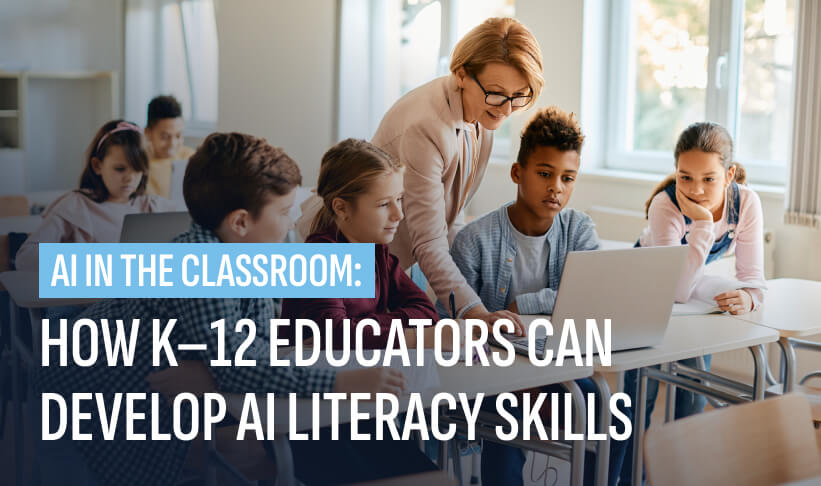
AI already appears in many classrooms, from teachers using it to plan lessons, speed up grading and feedback and personalize instruction, to students using it in their own schoolwork.
Some other examples of AI in education include:
- Writing feedback tools flag weak evidence or unclear structure in a draft, giving students revisions to incorporate before handing in their assignments.
- Accessibility features such as text-to-speech and live translation open up lessons to students with disabilities and English language learners.
- Tutoring chatbots answer students’ questions after hours and help them work through challenges, step by step.
- Many students now use chatbots to conduct research for projects instead of search engines, asking for summaries rather than a list of links.
- AI can handle administrative work such as drafting parent emails and summarizing meeting notes so that it takes less time out of a teacher’s week.
- Content creation tools make it easy for teachers to develop slide decks, worksheets and images for lessons, rather than hunt for usable material or build things from scratch.
- Test prep tools adapt practice questions to each student’s weak spots and drill them on what they haven’t mastered instead of what they already know.
- Language learning apps hold entire conversations with students, correcting their pronunciation and grammar in the moment.
How to Embed AI Literacy Into What You Already Teach
Educators can embed AI literacy into what they already teach by incorporating short, AI-focused learnings in existing lessons. This helps students develop essential skills in our increasingly tech-enabled world without adding more time to your schedule.
Take, for example, a civics unit on primary sources. Spending a few minutes reviewing a chatbot’s summary of a historical document against the document itself shows students exactly where the tool smooths over details in a way that changes the source’s meaning.
In an English class, you might ask students to draft a paragraph and have a chatbot to critique it, encouraging them to decide for themselves which of the tool’s suggestions sharpen their writing, and which ones strip out the voice that made it uniquely their own. During a science lesson, try asking a chatbot to explain a concept such as photosynthesis, and have students compare its response against their textbooks to see where AI gets things wrong.
Each of these examples teaches students a valuable lesson in discernment that will serve them the next time they engage with AI on their own.
Several organizations have already published free, classroom-ready standards that map AI concepts to grade levels and subjects, including ISTE Standards, PK–12 Standards from the Computer Science Teachers Association (CSTA) and AI4K12 guidelines. Because these come from established curriculum bodies rather than a single vendor, they give schools a defensible starting point.
What AI Literacy Looks Like by Grade Level
AI literacy skills are critical for students of all ages, but how you help students develop that literacy will differ depending on what grade level you teach, with more basic concepts for elementary students and nuanced topics such as ethics for high schoolers. Here’s a helpful breakdown of what’s appropriate for each grade level:
| Elementary (K–5) | Middle School (6–8) | High School (9–12) | |
| Goal | Notice AI in everyday life and understand it isn’t a person | Understand that AI makes decisions by finding patterns in data | Evaluate AI critically and use it with intentionality |
| What the student learns | How to recognize AI and that AI’s answers aren’t always right | How training data influences outputs and why that introduces bias | How models work in enough depth to judge reliability, authorship and consequences |
| Sample activity | A teacher-led demo comparing a chatbot to a person to show it has no feelings or judgment | Fact-checking a chabot’s response against a trusted source and finding what’s wrong | Debating a real case, such as AI in hiring or surveillance, and defending a position |
| Tool access | Teacher-guided only, no student sign-ins, age limits on all chatbots | Supervised use with clear classroom rules | Increasing independence paired with accountability for how the tool was used |
| Ethical focus | Basic fairness and honesty about what a machine can do | How bias enters a system and whom it affects | Societal stakes, including misinformation, privacy, ethics and the limits of automated decisions |
It’s important to note that while age restrictions vary, most chatbots set a minimum age of 13, and federal privacy rules restrict collecting data from children. That means elementary AI literacy depends on teacher-led demonstrations and offline activities rather than hands-on student accounts. High school is where independent use begins and also where conversations about academic honesty and integrity are most important.
AI Literacy, Academic Integrity & Evolving Classroom Policy
AI literacy and academic integrity are now inseparable because a student who understands what a chatbot can and can’t do is better equipped to use it honestly than one working with a tool they don’t fully understand.
It’s increasingly difficult for educators to hold students to the standard of submitting their own work and to grade them based on their own thinking because AI tools can produce convincing results that closely imitate a student’s voice. Schools are responding to this in various ways, and the current policy landscape is uneven and changing by the day.
As of July 2026, 38 states and Puerto Rico had released AI guidance for schools, though much of it is advisory rather than binding. A handful of states have gone further and required districts to adopt their own policies. Ohio was the first to mandate that schools adopt formal policies on AI, with other states following suit. Oklahoma’s law is one of the most restrictive in the nation, permitting AI in schools only under educator supervision, barring its use in high-stakes decisions about students and requiring annual disclosure to parents.
If you teach in one of these states, your district likely already has a policy that dictates what you can assign and what students must disclose. Find it and read it closely. Be sure to check your district’s academic integrity code, as well, as it may include AI rules even if the district doesn’t have a standalone policy.
However, policy rarely catches students after the fact. AI-detection software is often unreliable, with high false-positive rates, and misidentifies writing from English language learners at a disproportionate rate. Some model policies, including the widely used TeachAI toolkit, advise teachers against these tools altogether.
Because detection is a weak safeguard, it’s imperative that educators set expectations for students before they use AI tools. It may make sense for you to adjust those expectations from assignment to assignment, rather than adopt a blanket rule. North Carolina, for example, uses a tiered red-yellow-green system, where red means no AI, yellow permits brainstorming or structuring with disclosure and green allows for broader use.
Any AI policy is only effective if students adhere to it, which requires educators to get their buy-in. Asking students to disclose how they used AI with a short note or a link to their session tends to work once students see it as routine rather than an accusation. Explaining your reasoning also helps students understand why a tool is barred from one task but allowed for another. An AI literate teacher can clearly draw these boundaries and ensure they’re respected.
How AI Literate Are You?
Use the checklist below to gauge your preparedness and determine whether you need additional AI literacy training:
- I can explain in plain language why a chatbot sometimes states false information with complete confidence.
- I know the difference between a chatbot that generates text and a search engine that retrieves it.
- I understand that AI tools learn from existing data, and that their outputs reflect whatever was in that data.
- I check AI-generated facts against a trusted source before sharing them with students.
- I can identify when an AI-generated lesson or reading misses the standard it was supposed to address.
- I notice when a tool’s output leans toward a single perspective or leaves out groups of people.
- I know what my district’s policy says about AI, or I know where to find it.
- I am aware of privacy policies and carefully consider what happens to student data before I enter it into an AI tool.
- I can clearly explain to a student why using AI for one assignment is permissible but isn’t for another.
- I have used AI to help with my own work, then reviewed what it produced rather than taking it as-is.
- I can decide which part of an assignment students should complete without AI and why.
- I have shown my students how a chatbot can be wrong, so they earn to question its answers.
- I can point students toward using AI to support their learning rather than undermine it.
- I have talked to my students about how to use AI honestly, not only about when it’s banned.
- I feel ready to answer when a student asks whether a specific use case counts as cheating.
If you left many of these unchecked, it isn’t cause for alarm, and you aren’t alone. Additional training and practice will help you develop the AI literacy skills you need to be successful when using these tools in (or outside of) the classroom.
How Teachers Can Develop AI Literacy
AI literacy training for educators comes in a variety of formats, including hands-on practice, professional development, peer learning and formal study. The right path depends on your current experience level, what level of depth you’re looking for and how much time you have to dedicate to developing AI literacy.
- Hands-on experimentation: The fastest way to learn what these tools do well and where they tend to fail is to use them on low-stakes tasks, such as drafting an email or a rubric, and then checking the output for errors. Through repetition, you’ll begin to notice patterns in outputs and become faster at recognizing and correcting inaccuracies.
- Free online courses: Several organizations offer self-paced AI literacy training created specifically for teachers. CodeAI’s AI 101 for Teachers, the Google AI Educator Series and Microsoft’s AI for Educators are just a few examples that cover the basics of how popular AI tools work and how to use them on your own or in the classroom. These can be a great option for teachers who want the structure of a course without a cost or fixed schedule to adhere to.
- School or district workshops: Many districts now offer AI-focused professional development workshops, which have the benefit of grounding learning in your own school’s tools and policies. Many educators find working through real classroom scenarios with colleagues to be more valuable than solo learning, since much of what works with actual students comes out of those conversations.
- Peer learning: You don’t need to become AI literate on your own. In fact, your colleagues are one of your best assets when developing AI literacy skills, since they’ve tested the same tools with similar students. Hosting a regular meetup where you share what’s worked in class and what hasn’t is an informal but effective way to keep your skills current as tools change.
- Formal graduate study: AI raises some questions too great for independent learning or district workshops to answer, such as whether to pilot a tool across a grade level, how to assess a vendor’s claims or how to write an AI policy your school can present to parents. A graduate-level degree program can provide you with the depth of understanding needed to evaluate this evolving technology critically and lead adoption, rather than react to it.
The University of San Diego’s Master of Education program, rated one of the best online graduate education programs by U.S. News & World Report, offers coursework that will help you develop the pedagogical and ethical judgment that AI literacy demands of teachers who want to lead in their schools.
Still debating whether to take the next step? Download a free copy of “Top 11 Reasons to Earn Your Master of Education Degree” to learn what you stand to gain from advancing your education.
Frequently Asked Questions
Should AI literacy be taught in schools?
Whether to teach AI literacy in schools is a decision individual districts and states need to make, and there’s currently no national consensus. Supporters argue that students already use AI daily and need guidance on using it responsibly, while opponents favor limiting or restricting it in classrooms. Even where schools restrict AI, students still encounter it outside the classroom, so there’s a case for helping them understand the technology regardless of official policy.
How is AI literacy different from knowing how to write prompts?
AI literacy goes beyond writing prompts because prompting only controls what you ask an AI, while literacy informs how you judge its response. A well-written prompt can produce a fluent, confident answer that’s still inaccurate or biased. Recognizing that problem, checking the output against a reliable source and deciding whether to trust it are AI literacy skills that prompt-writing alone doesn’t cover.
How can I teach AI literacy if my school doesn’t have a policy yet?
You can teach AI literacy without a formal policy by setting clear expectations with the students in your own classroom. Decide which assignments they’re allowed to use AI for, require students to disclose usage and explain your reasoning so the rules make sense to them. Documenting your approach also gives you something concrete to share if your school or district drafts a policy at a later date.
How should I respond if a student uses AI to cheat?
Respond to suspected AI cheating with a conversation rather than an accusation. Ask the student to walk you through their process or explain their choices, focusing on the thinking behind the work rather than trying to prove AI use. This approach allows for a fair exchange and creates an opportunity to reinforce expectations.
Which AI tools are actually safe to use with students?
The safest AI tools to use with students are the ones designed specifically for education and comply with student privacy laws such as the Family Educational Rights and Privacy Act (FERPA) and the Children’s Online Privacy Protection Rule (COPPA). It’s generally best to avoid consumer chatbots in the classroom. Before using any tool, check to see what student data it collects, confirm it meets your district’s privacy requirements and review whether its content is age-appropriate. When in doubt, verify with your technology coordinator.