How to Apply
Follow these steps to complete your application as a USD graduate student.
Please Note: These walk-through videos showcase the standard Liaison system. While specific program names, filters, and steps in the video may vary, the core application process is identical for University of San Diego applicants.
Starting Your Application
The application process for all USD graduate programs is completed online.
Create Your Account
To begin your graduate program application click on “Create Account.” If you have previously started a graduate application with University of San Diego, you can enter your username and password to sign in to your existing account.
Select Your Program
Now it’s time to select the program that you intend to apply for. Available degree programs are categorized by the school or academic unit that offers the program. Don’t worry – if you don’t know the school, you can use the search bar toward the top of the page. Be sure to select the program with the correct start term and start year when choosing your application. Spring terms start in January, summer terms start in May and fall terms start in September.
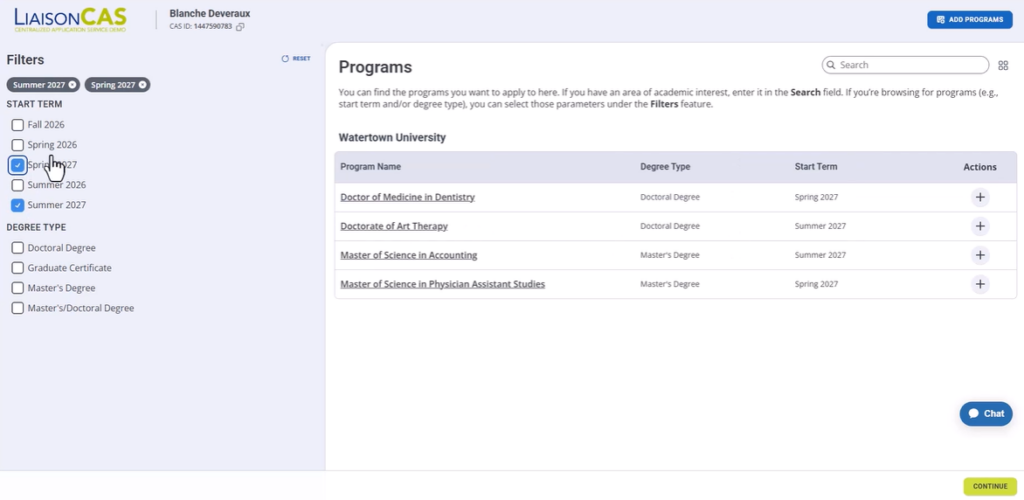
FILL IN BACKGROUND INFORMATION
Enter Personal Information
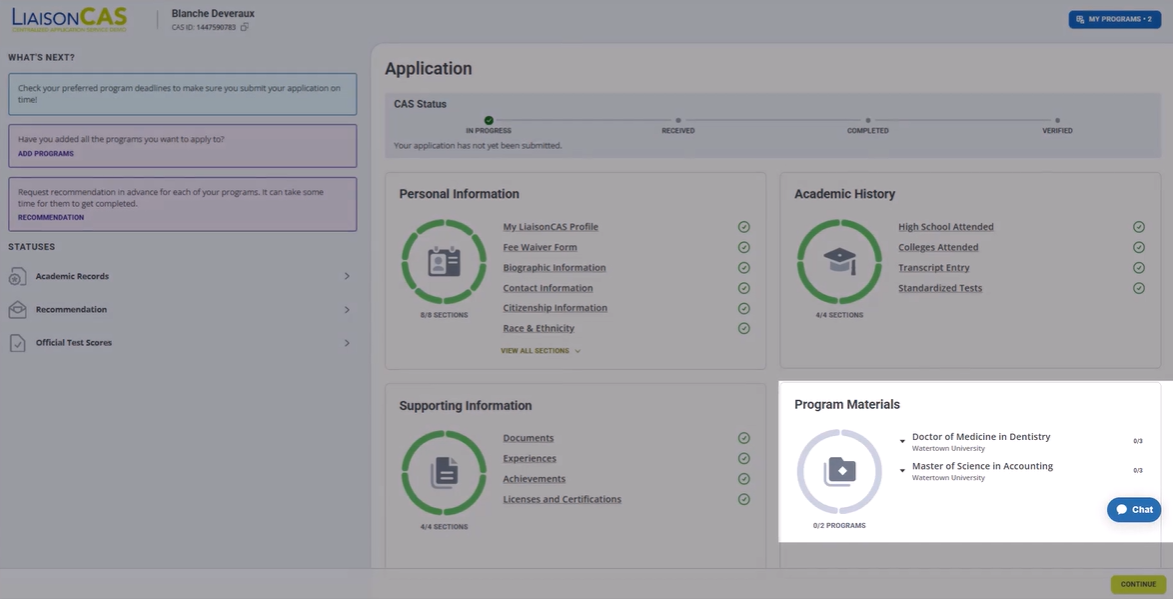
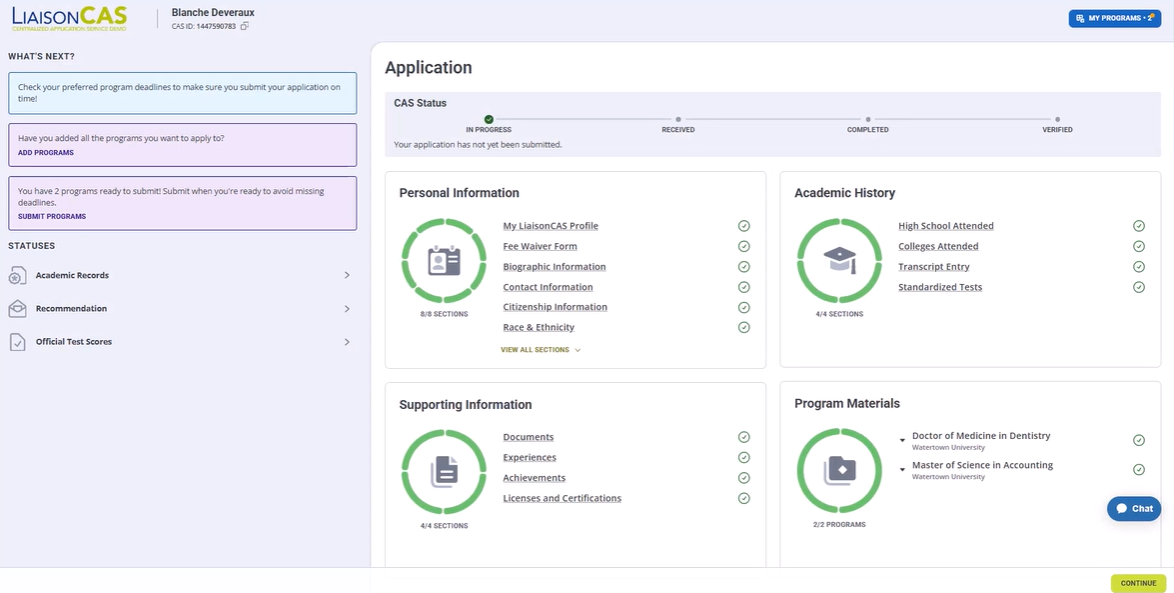
To get your application ready for submission, you’ll need to complete each of the four quadrants: “Personal Information,” “Academic History,” “Supporting Information” and “Program Materials.” You can work on these sections in any order you wish.
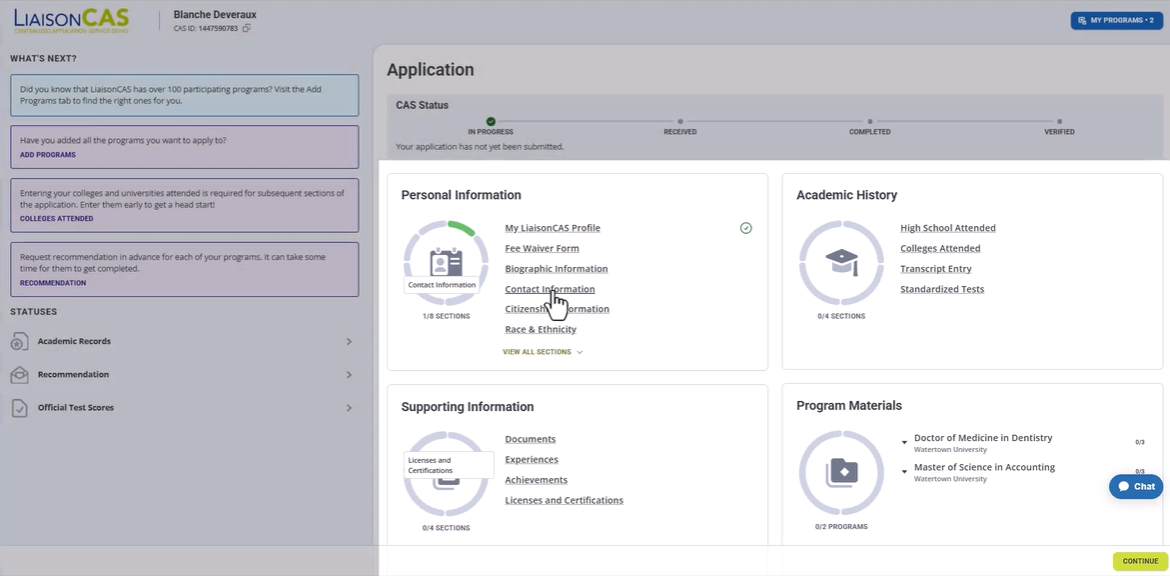
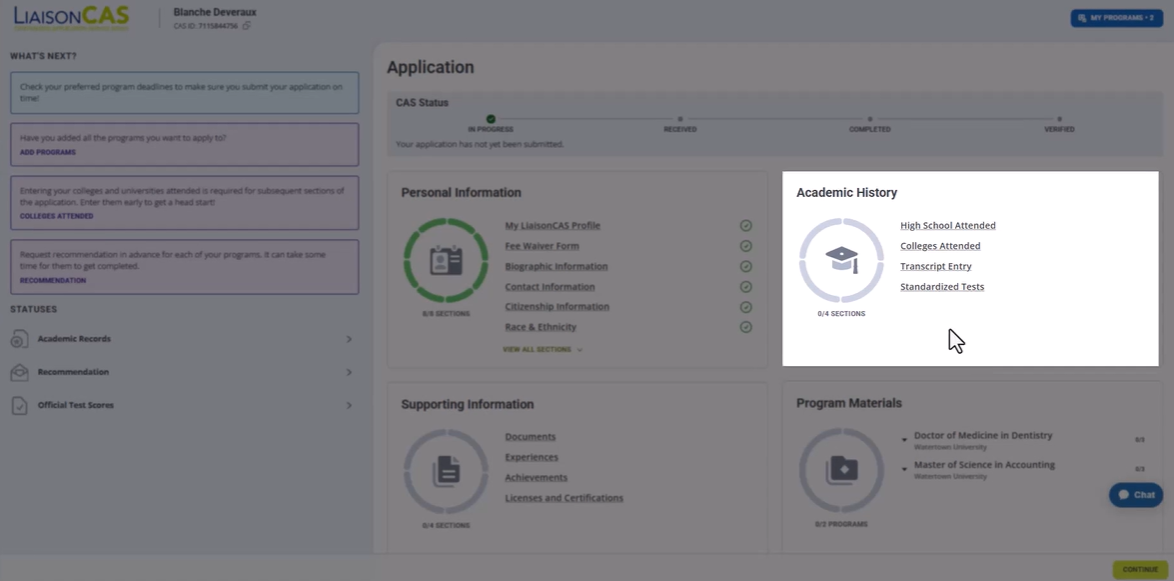
Enter Academic History
To complete the “Colleges Attended” section, locate and add the institutions you have attended via the drop-down menu. Provide the requested information in all areas that are marked with a red asterisk (*). Be sure to add all colleges and universities that you have attended in the past, even if the courses you took there did not lead to a degree.
Just take your best guess at your GPAs – we’ll get this information from your official transcripts when they arrive.
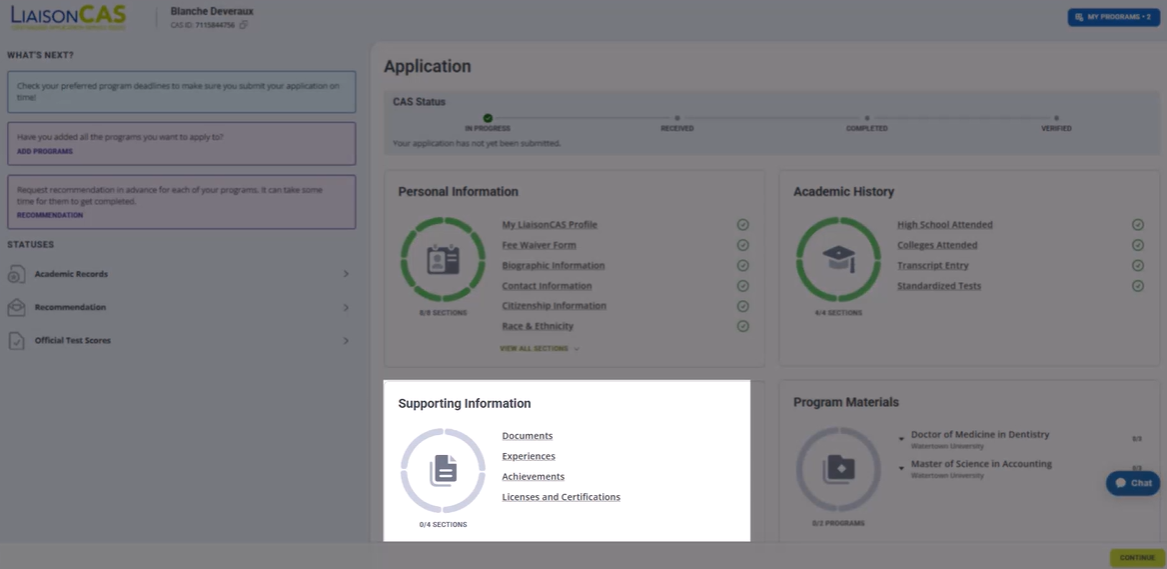
Provide Additional Documents
The “Supporting Information” section is where you will upload your CV/Resume and other documents that may be required for your program application. Before uploading anything, review all of your documents and remove any sensitive information they may contain, such as your Social Security number. The top of the page includes helpful tips for uploading documents, including which file types are accepted and a reminder to remove any password protection you might have on your documents. Each file you upload will need to be less than 15 megabytes in size.
Your Essay & Letters of Recommendation
Share Program Materials
First, click on the “Program Materials” section, and then click the blue section that includes the name of the program to which you are applying. Then, click on the “Documents” tab to find the instructions for completing the personal statement or essay requirement. Next, click on the “Recommendations” tab to create a Recommendation Request. Most programs require two recommendations, however, some only require one. Your program’s requirements will be listed at the top of the page. If your degree offers different learning tracks or specializations, you’ll see a Questions tab. Click on that tab to select your desired specialization from the drop-down menu.
Ordering Transcripts & Troubleshooting
Submit Official Transcripts
The online portion of your application will be complete once all of the application quadrants are green with a white checkmark. But don’t forget to order your official transcripts! Official electronic transcripts (preferred method) should be sent to [email protected]. We will not accept transcripts sent by applicants. Transcripts must be sent from the college/university attended or transcript delivery service.
Official transcripts sent by mail must remain in the original sealed envelope to be considered official. Unofficial transcripts are not accepted.
University of San Diego
Office of Graduate Admissions
5998 Alcala Park
San Diego, CA 92110
Ready
To get started?
Find the Right Program for Your Career Goals.