
Key Takeaways
- An instructional design resume follows a set order: header, profile summary, skills, work experience, education, and then optional extras.
- The profile summary comprises two or three sentences and states your years of experience, the models you work in, such as ADDIE or SAM, and the tools you know, such as Storyline 360 or Rise.
- Use concrete numbers to turn duties into results. A bullet that reports a 20% improvement in employee performance gives a hiring manager something concrete to weigh.
- Five mistakes can cost candidates interviews, including leaning on AI to write the resume, stuffing in keywords, using complex formatting, sending the same version everywhere and padding with irrelevant detail.
- Teachers moving into instructional design already have transferable skills. List communication, lesson planning and your working knowledge of learning models in the competencies section.
If you’re hoping to land an instructional design job, a well-structured resume is essential. When put together thoughtfully, your instructional designer resume will not only highlight your qualifications and skills but also help you stand out to potential employers.
Here’s how to structure your resume for an improved chance of getting an interview:
The Header/Introduction Section
This is where you’ll introduce yourself to potential employers with basic information including your name, a link to your digital portfolio and your contact information.
Don’t forget to:
- Include your full name. If you have a preferred name that’s different from your legal name (if you go by your middle name, for example), feel free to mention that here.
- Use a link shortener if your portfolio’s URL is lengthy. That way, potential employers can easily type in the address if they aren’t viewing a digital copy with the link embedded.
- Provide your phone number, email address and LinkedIn profile (if applicable)
Profile Summary

The profile summary is your first opportunity to grab an employer’s attention. This is where you’ll describe yourself in the context of your professional life. Be sure to mention the number of years of experience you have, any instructional design models you’re familiar with, tools you know how to use (e.g., Articulate 360 Rise, Storyline, etc.) and any noteworthy proficiencies or skills.
If you’re new to the field or applying for your first instructional design role, you can use this space to highlight your educational background, hands-on coursework, internships or capstone projects in place of traditional work experience. If you have related professional experience that is relevant to the role (such as working in K–12 education or in a corporate training role), mention how that experience translates to the type of work you are now seeking.
To make the best first impression:
- Keep it brief, ideally between two and three sentences
- Consider the job description and focus on your most relevant skills and experiences
- Use keywords from the job posting to show alignment with employer expectations
[RELATED] Learn how to write an effective cover letter when applying for an Instructional Designer position.
Relevant Instructional Design Skills
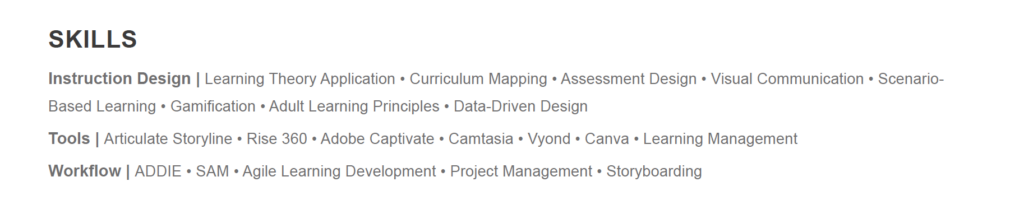
This section should include a rundown of any relevant skills you’ve mastered in previous roles (or through your education if you’re new to the field), organized by category. Categories that an instructional design resume should always include are software, soft skills, technical skills and languages (both written and spoken). These categories are what matter most to potential employers in terms of competencies, so it’s in your best interest to present them in a way that’s easy to digest.
For maximum impact:
- Focus on how you’ve been able to apply these skills in a variety of contexts
- Highlight the skills that demonstrate adaptability and most easily apply to instructional design roles
- For the software and languages category, note your proficiency level with each program, tool or language
Relevant Experience/Work History
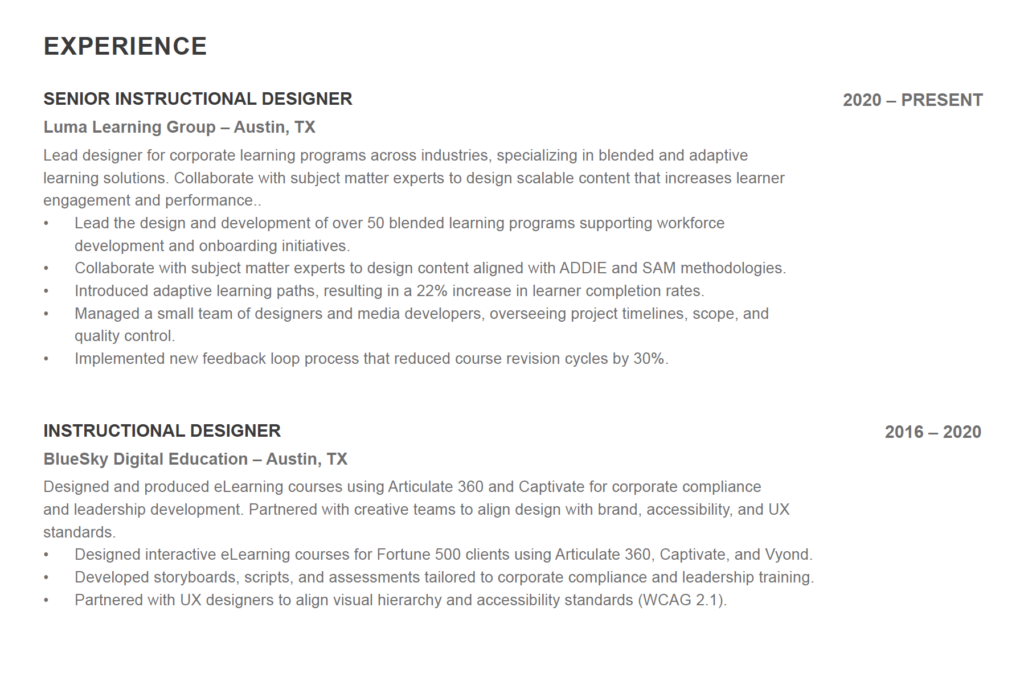
Focus on your key accomplishments from each role to highlight your professional background. Start with your most recent role and include a bulleted list of accomplishments or contributions you made during your tenure. Remember to feature measurable metrics where possible. For example: “Designed and implemented learning solutions that resulted in a 20% improvement in employee performance metrics.”
Repeat these callouts for all relevant roles you’ve held throughout your career. If you’re applying for your first instructional designer role as a career changer, it’s okay to feature the roles you held in your previous career here. If you’re a recent graduate applying for your first professional role, consider listing internships or related educational experiences.
To capture hiring managers’ attention:
- Make the section scannable by visually emphasizing your title and employer for each position as well as using bullet points to list work outcomes.
- Think like an instructional designer when writing this section. That means including specific and measurable details about your accomplishments.
- Specify your job responsibilities and the scope of your role.
[RELATED] Best Practices for Creating an Instructional Design Portfolio.
Education and Certification
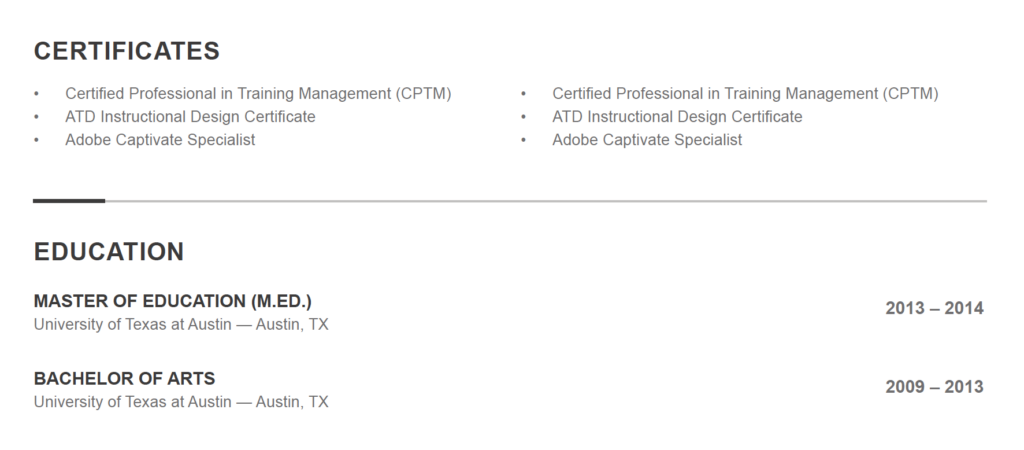
Whether it’s a certificate or master’s degree, many employers give an edge to candidates with an educational background in instructional design. That’s why it’s important to place your education section close to the top of your resume. Be sure to include all degrees and certifications earned as well as any relevant coursework completed.
Don’t forget to:
- Highlight ID-specific credentials, certificates and digital badges
- Include specific coursework or training that aligns with job requirements
Additional Information (Optional)
For resumes that need some extra substance, you can use this optional section to list out any notable instructional design projects you’ve completed, professional memberships you hold, awards won and so on.
If you’re entering the field directly after graduation, this section can be a powerful differentiator. Use it to highlight academic projects, capstone work, volunteer or freelance instructional design work or conference participation. If you’ve completed a major course project that mirrors real-world instructional design work, this is an ideal place to call it out.
Core Competencies for Instructional Designers
Success in instructional design is predicated on a well-rounded set of core competencies. At the very least, these skills enable professionals to create effective learning experiences, address challenges, and work cooperatively with multidisciplinary teams.
The following abilities are some of the most commonly valued by employers:
- Communication skills, including written, verbal and visual
- Problem-solving skills to address and leverage complex performance problems when creating targeted learning experiences
- Analytical skills to assess learning needs, evaluate learner feedback and measure the effectiveness of solutions
- Planning skills are vital for creating instructional materials that align with academic or business goals
- Design and development skills that demonstrate proficiency in proven, research-based design principles, learning theories (such as the ADDIE and Kirkpatrick models) development techniques
- Collaboration to ensure positive working relationships and outcomes
- Multitasking and organization as IDs typically juggle several projects at once
- Software proficiency, including knowledge of instructional design tools, video editing programs, learning management systems, and sound editing systems or visual or graphic design tools.
Additional Must-Have Skills
To excel in their role, IDs should also demonstrate:
- Cultural competence: Helps facilitate the creation of inclusive and culturally sensitive learning materials
- A continuous learning mentality: Staying up-to-date with the latest instructional design trends and technologies
- Good project management: A track record of successfully coordinating tasks, meeting deadlines and managing resources
[RELATED] The Top 4 Instructional Designer Skills Employers Want to See
Pitfalls to Avoid When Building Your Instructional Designer Resume
A resume with careless mistakes detracts from your professional credibility, which is why it’s crucial to avoid these common pitfalls:
Over-Reliance on AI Tools
While artificial intelligence can help assist with resume writing, relying on AI to fully write your resume may lead to one that’s overly generic or poorly formatted. Employers want to see resumes that include specific examples and demonstrate attention to detail; with an AI-written document, you risk a final submission that lacks both.
Tip: Use AI tools as a starting point, then spend time refining and fleshing out your resume to give it a human touch.
Keyword Stuffing
While integrating some keywords into your resume can be helpful — especially when it comes to passing through applicant tracking systems (ATS) or demonstrating your eligibility for a role — excessive keyword use can come across as insincere.
Tip: Find opportunities to incorporate keywords naturally within the flow of your resume, versus inserting them where they sound forced or contrived.
Overly Complex Formatting
The use of elaborate layouts, unconventional fonts or graphics will make your resume stand out, but not in the way you’re hoping for. Elements like these are not only distracting for readers, but they may also make your resume unreadable by ATS software, meaning that you’ll be disqualified from consideration from the start.
Tip: Think like an instructional designer. Choose an uncomplicated, professional layout that’s visually appealing, clear and concise.
Lack of Customization
Submitting the same version of your resume to every job you apply for may be an easier route to take, but it puts you at a disadvantage. Tailoring your resume to each job posting demonstrates attention to detail and a genuine interest in the role.
Tip: Use the information provided in the job description to inform your profile summary, skills and experience sections.
Inclusion of Irrelevant Information
Hiring managers read hundreds of resumes. Focus only on the most relevant work experience, skills or achievements. Including unrelated information adds unnecessary fat to your resume and distracts from the qualifications that hiring teams care about most.
Tip: Focus on only the information relevant to instructional design and the position you’re applying for.
Video: Instructional Designer Resumes 101
Learn what to include on your resume, how to structure it and considerations to keep in mind.
Final Tips and Next Steps
By focusing on customization, showcasing your skills and avoiding common pitfalls, you can create a resume that improves your chances of landing an interview, and hopefully a job as an instructional designer. And once you finish your resume, you can start preparing for your interview with this list of 10 common instructional designer interview questions.
Good luck in your job search!
What You Should Do Next
- If you feel you your knowledge of learning theories, your hands-on technology skills, or your portfolio could be holding you back, consider how earning your MS in Learning Design and Technology might support your career goals.
- Review these tips for writing a cover letter that maps your skills and experience to your desired position
- Schedule a call with an MS-LDT admissions advisor to see how earning your Master’s degree in Learning Design and Technology fits into your career plans.
Frequently Asked Questions About Creating an Instructional Designer Resume
On an instructional designer’s resume, what should be included in a profile summary?
The profile summary on an instructional designer resume should include the number of years of experience you have, any ID models you’re familiar with, tools you know how to use and a rundown of noteworthy skills.
Here’s a good example:
“Instructional designer with 6 years of experience developing engaging learning solutions for corporate and higher education environments. Proficient in ADDIE and SAM methodologies, with hands-on expertise in Articulate Storyline 360, Rise 360 and Camtasia. Skilled in needs analysis, learner experience design and cross-functional collaboration to deliver training programs that measurably improve performance outcomes.”
How can I demonstrate instructional design skills when creating a teacher to instructional designer resume?
The skills needed for teaching and those used by instructional designers have significant overlap — communication, lesson planning and familiarity with learning models. Teachers transitioning into an instructional design career should use the core competencies section of their resumes to highlight these skills.
What is the #1 mistake made on instructional designer resumes?
Failing to demonstrate the impact you made in previous roles. Make sure your contributions stand out to hiring teams by quantifying the success of your projects with measurable metrics.